Release Date: August 7th, 2025
This release focuses on creating a more consistent, scalable, and secure learning experience, for both learners and admins. Key updates include multilingual course support, consistent start pages across learning items, journeys and learning items duplication, flexible completion options for live events, expanded user management capabilities, and improved admin login security through SSO.
TABLE OF CONTENTS
Summary
1. Language tagging for Courses
We’ve introduced a Language field in course settings to support clearer content categorization. This aims to help admins manage multilingual learning items more effectively and make it easier for learners to find content in their preferred language.
2. Courses, Assessments and Surveys start page redesign
We’ve introduced a new start page for courses, assessments and surveys that adapts to each learner’s progress and is designed to support learners in starting, continuing, or revisiting a learning item. The goal is to create a more consistent and intuitive entry experience across courses, journeys, live events, assessments, and surveys.
3. Duplicate Journeys and Learning items
We’ve added the ability to duplicate journeys and learning items, intending to make it faster for admins to scale learning experiences across the platform while preserving structure and consistency.
4. Flexible completion for Live events
We’re introducing flexible completion for live sessions through post-event recordings. This aims to support learners who couldn’t attend the live event while giving admins more flexibility in how completion is tracked.
5. Ability to update or delete users
Admins can now edit or delete individual users directly from the user page. This aims to bring more control over user management and simplify administrative workflows.
6. Improved admin access security through SSO
To strengthen platform security and align with enterprise authentication standards, admin access can now be restricted to Single Sign-On (SSO) only. This update disables username and password login for designated customer environments, reducing the risk of unauthorized access and supporting compliance needs.
Deep Dive
1. Language tagging for Courses
Admins can now tag courses by language, with the goal of making it easier for learners to discover relevant content in multilingual environments.
What’s new:
- Language field is now available in course settings
- Content creators can choose a course language from a predefined list of languages (e.g., English, Swedish, German) defined by Collegial
- The selected value is stored per course and can be updated anytime
- Learners can filter courses by language when browsing content in the catalog
2. Courses, Assessments and Surveys start page redesign
Learners now access courses, assessments and surveys through a redesigned start page that adapts to their progress. Whether beginning a new item, continuing where they left off, or reviewing completed material, the page clearly indicates the next step while maintaining a consistent experience across the platform.
What’s New
- Redesigned entry point for all courses, assessments and surveys
- Displays each item unique metadata
- Progress-aware call to action:
- Start – for new learners
- Continue – for those in progress
- Revisit – for completed learners
- Entry experience is consistent whether learners enter from the Catalog, My Learning, or a Journey
How it Works
The start page adapts to each learner’s progress so they always know what to do next:
1. If the learner hasn’t started the learning item:
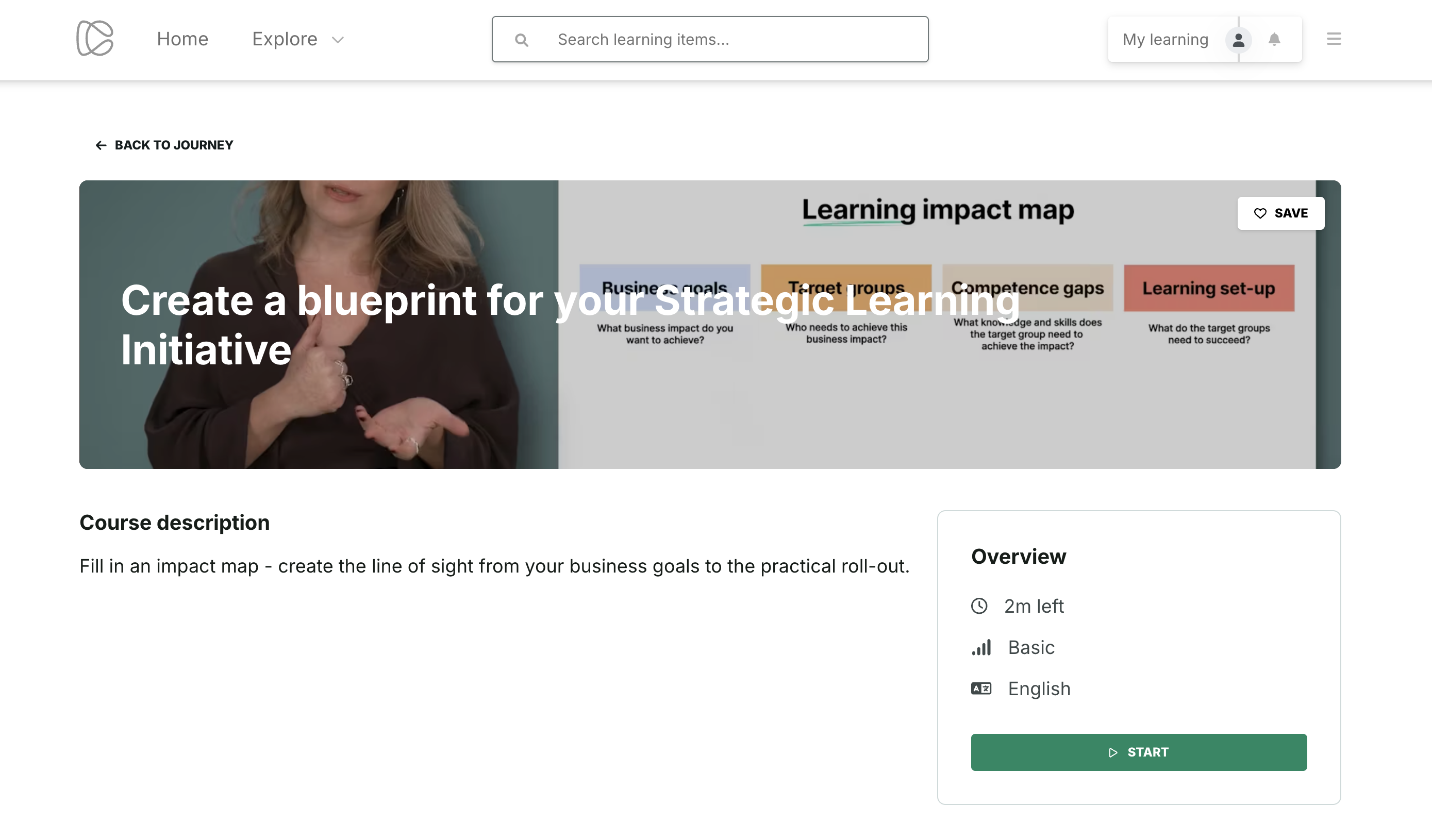
- They see the start page with title, description and item overview
- The primary button says Start
- Clicking it takes them to the first item in the immersive view
2. If the learner has started but not finished:
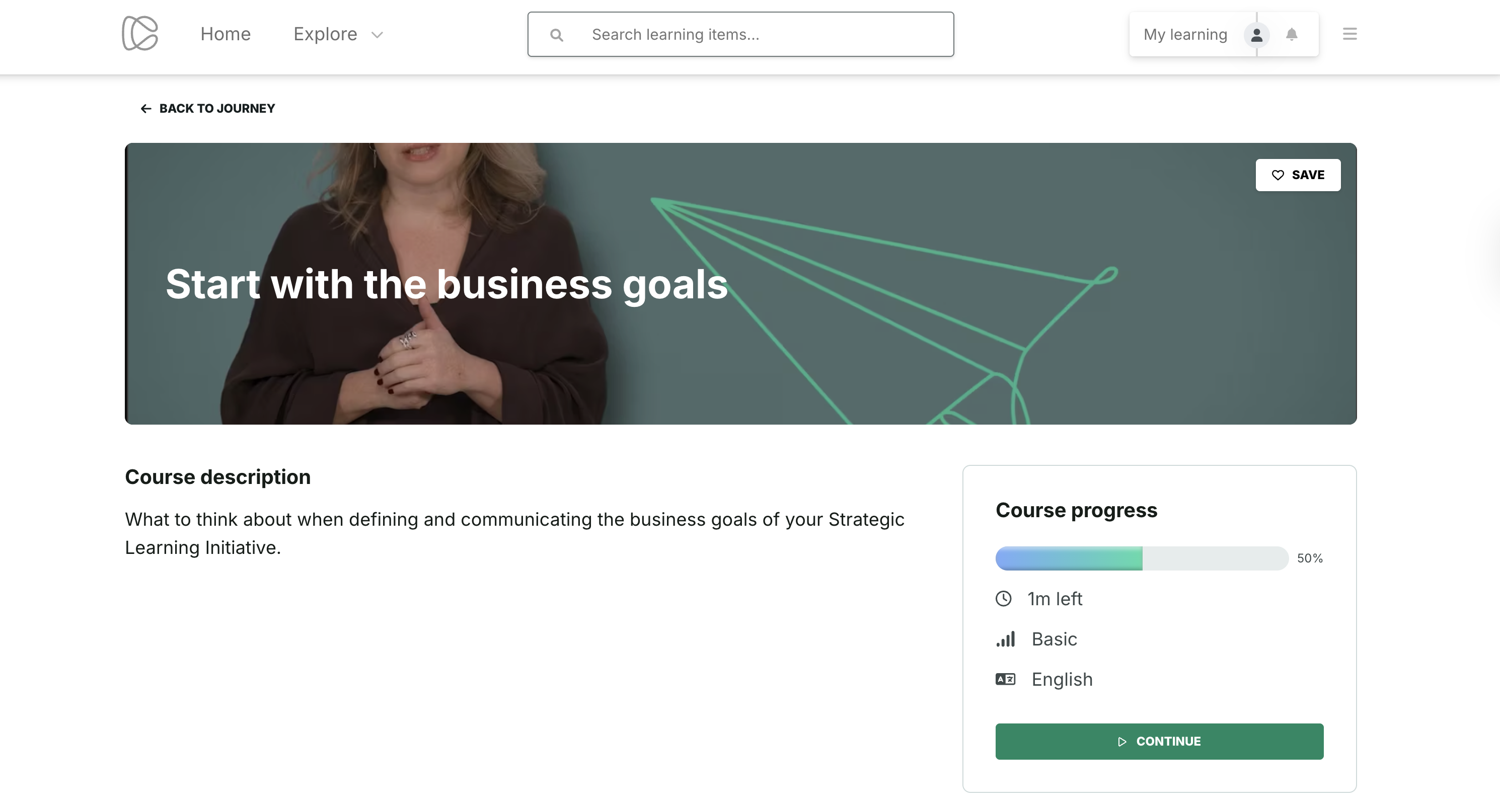
The start page shows a progress bar and a Continue button
Clicking it resumes the course exactly where they left off
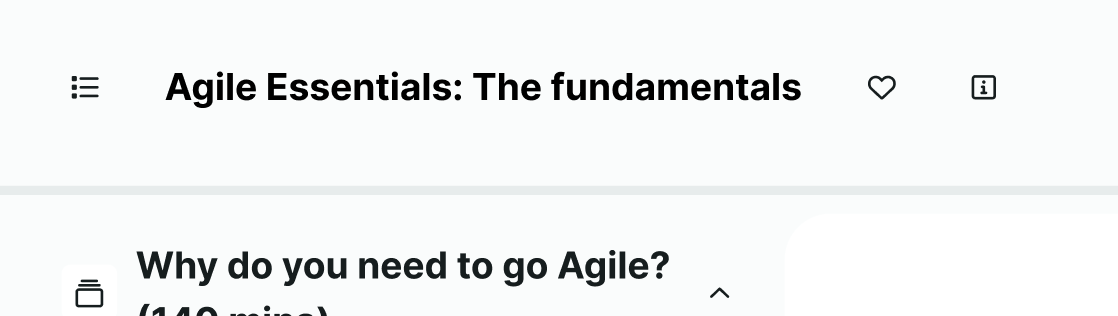
Learners can also reach this page by clicking the info icon from the immersive view
3. If the learner has completed the learning item:
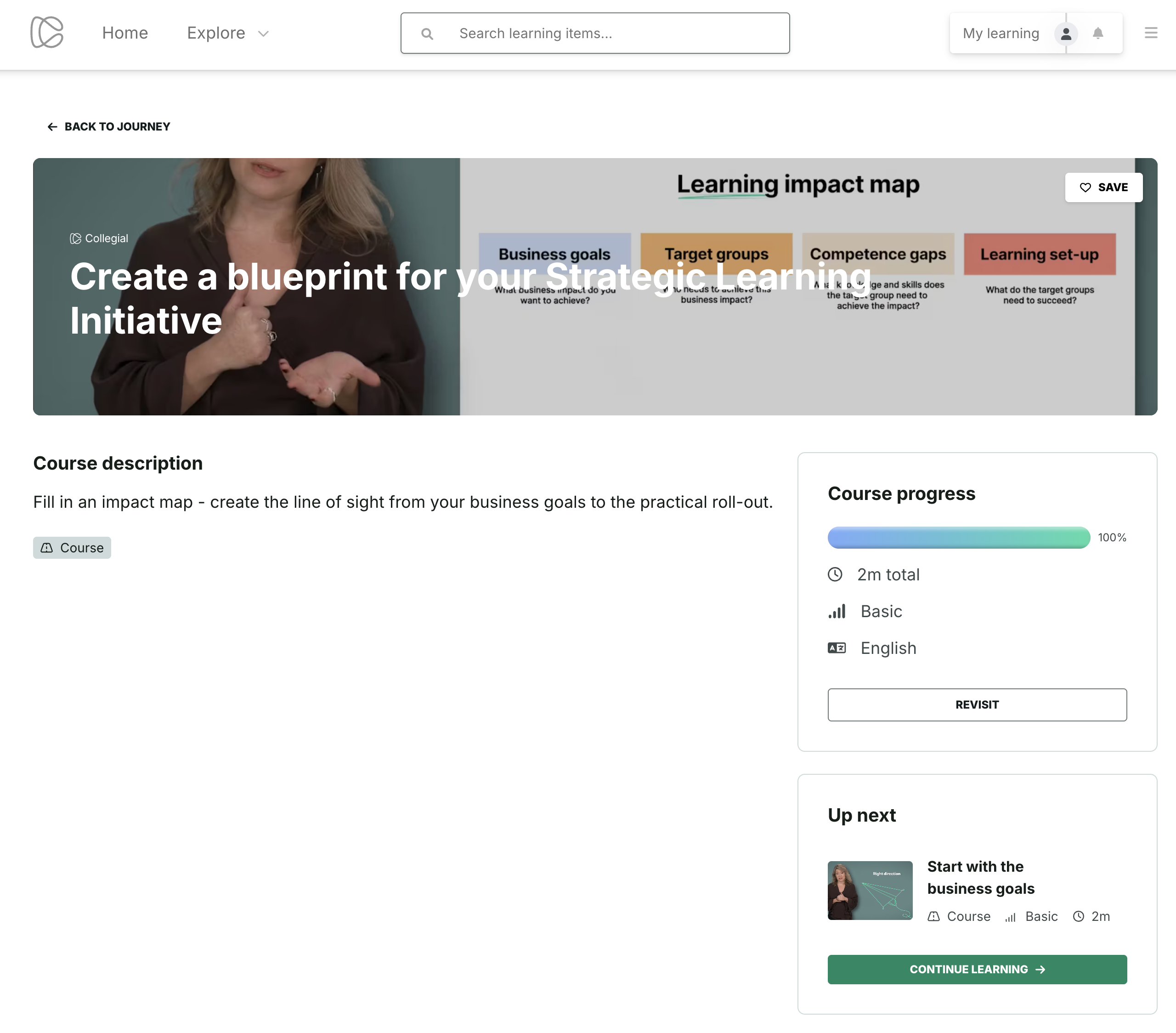
- The page displays 100% progress and a Revisit button
- Clicking Revisit opens the immersive view for review
- If the item is part of a Journey, learners also see an Up next box and a Continue learning button showing the next item in the journey
3. Duplicate Journeys and Items
Designed to reduce manual work and improve reusability, admins can now duplicate entire journeys and selected learning items directly from the platform. This feature is designed to speed up content creation while maintaining the structure of learning experiences.
What’s New
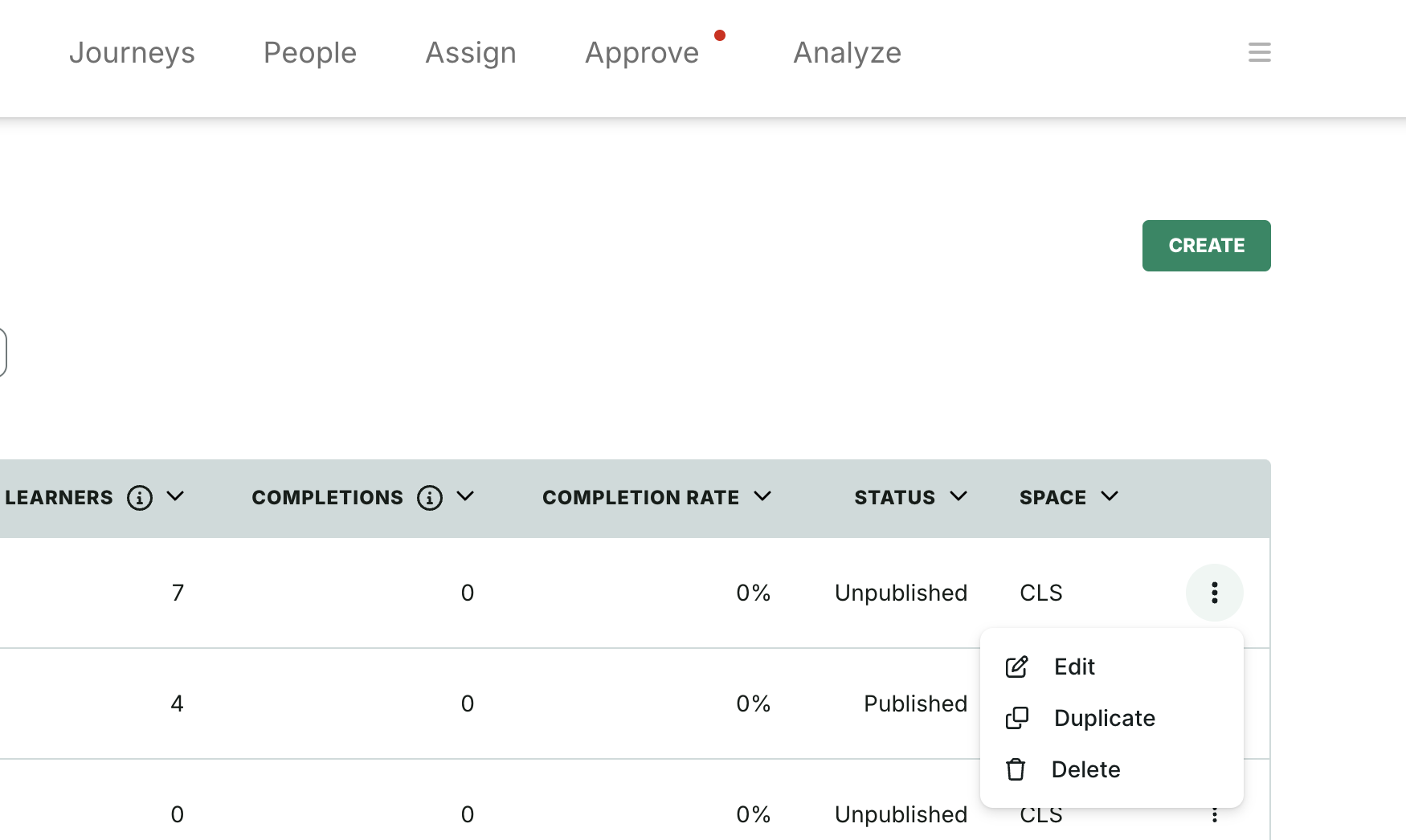
Duplicate a journey from the main journey list
From the Journey tab, click the More button next to a journey, select Duplicate, and confirm the action in a modal. A new journey is created.
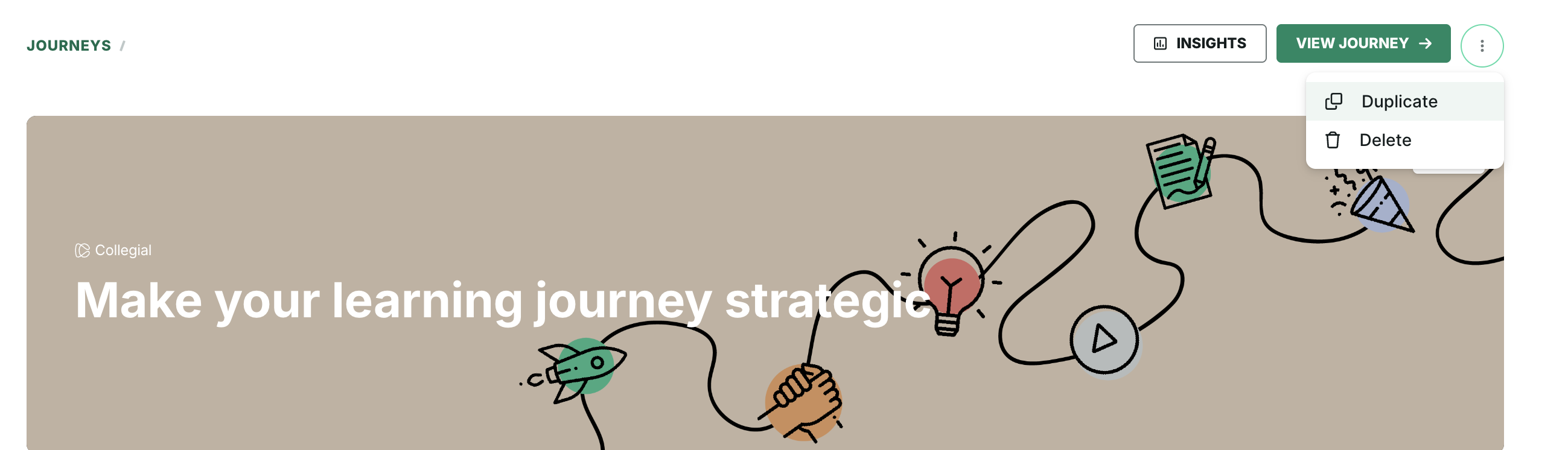
Duplicate a journey from the edit page
From within a journey’s edit page, click More and select Duplicate
Duplicate learning items inside a journey
Courses, assessments, surveys, e-learning, seminars, webinars, and live events can be duplicated. After clicking Duplicate from the item’s menu the system copies the item and adds the item to the journey outline.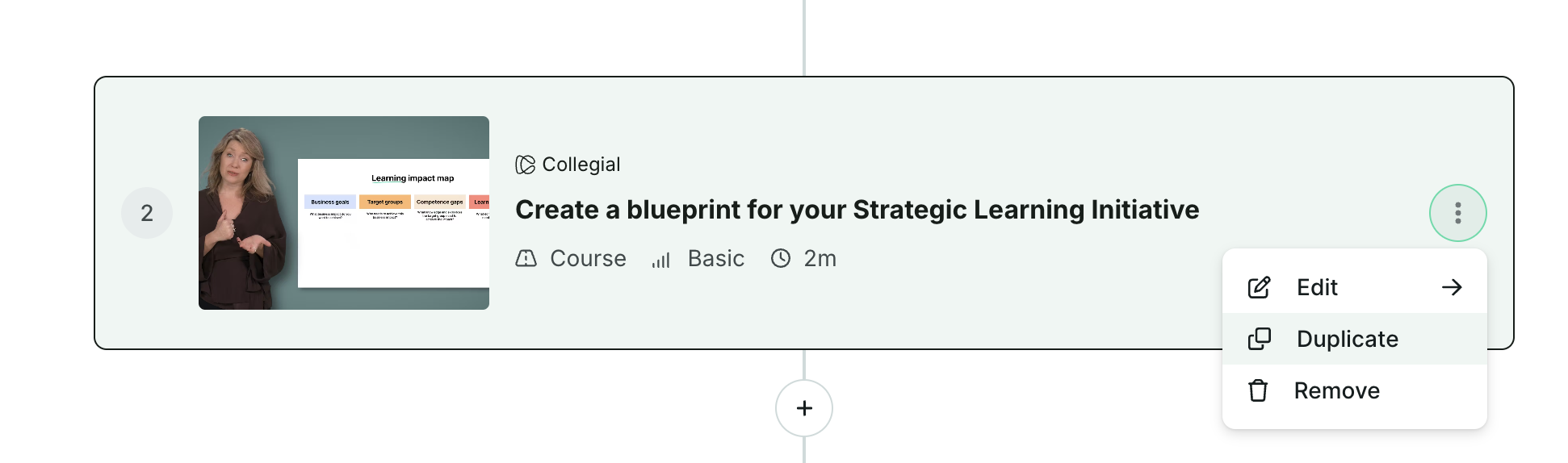
Some items cannot be duplicated
Paths and partner provider courses (e.g., Coursera, LinkedIn Learning, Pluralsight) cannot be duplicated due to technical constraints.
4. Flexible completion for Live events
Designed to better support asynchronous learning, learners can now mark live event items as completed by watching a post-event recording, regardless of their attendance status. Admins also gain more control over completion tracking after the event ends.
What’s New
After a live session ends, admins can add a Recording to the event from the live event editor modal.
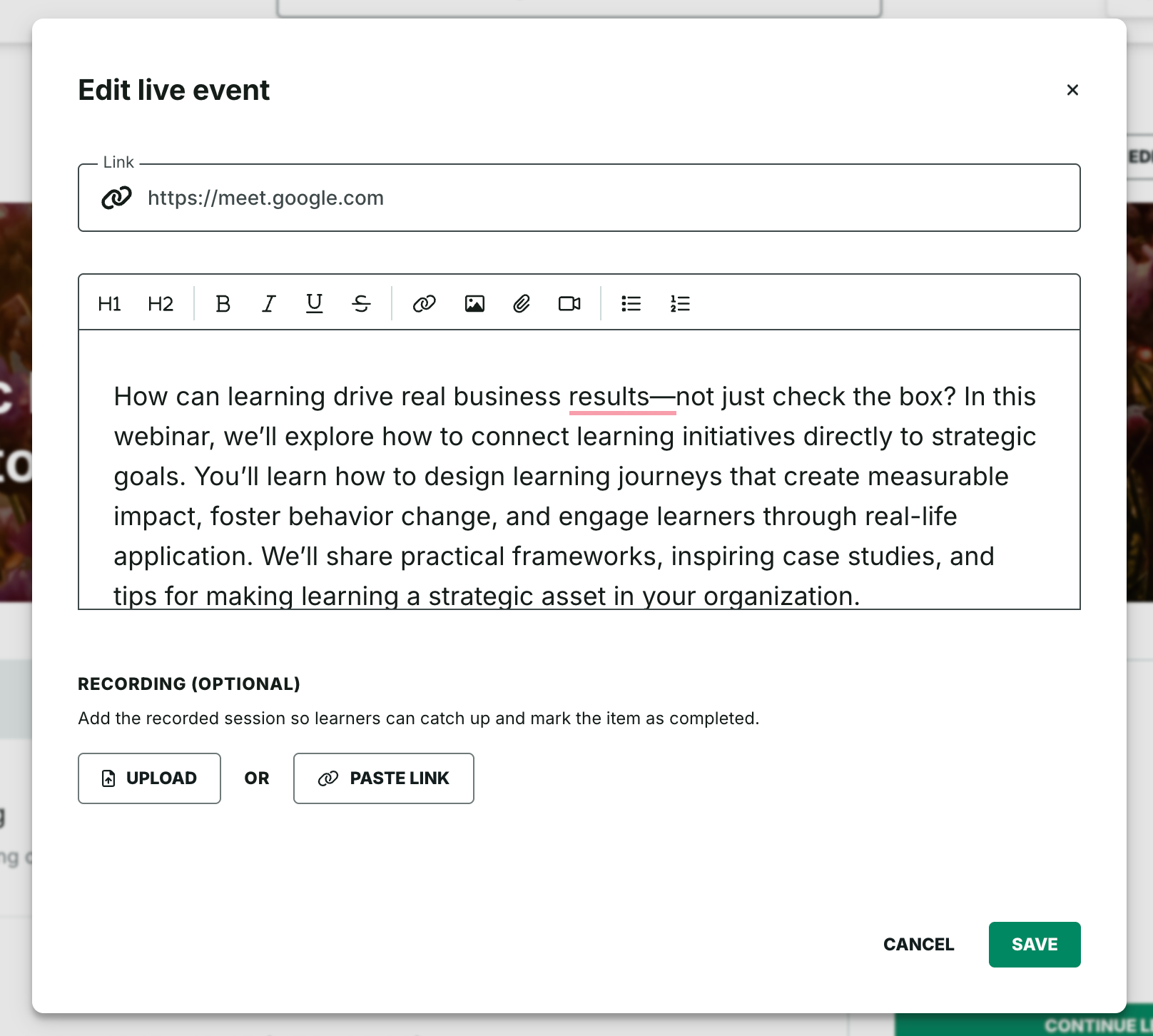
Learners will see a Recording section on the webinar page with a Mark as completed button.

Learners can manually complete the item after watching the recording, whether they attended live or not.
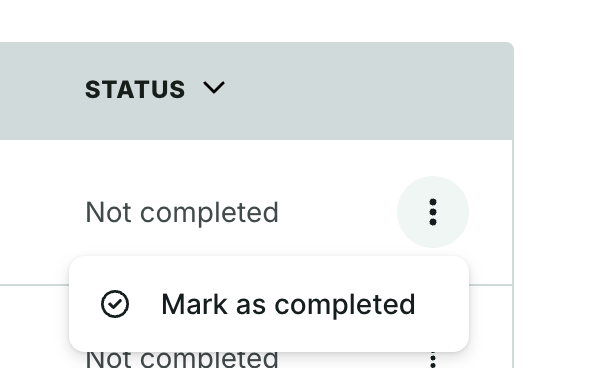
Admins can also manually mark learners as completed from the Live event insights page using the More menu.
5. Ability to update or delete users
We’ve made it easier for admins to manage user records. You can now edit or permanently delete users directly from their individual profile pages.
What’s New
- From the People tab, navigate to a user’s profile and click More button
- Choose Edit to update name, email, or username
- Choose Delete to permanently remove a user
6. Improved admin access security through SSO
Designed to improve security and support compliance, admin login can now be restricted to SSO only, removing the option to sign in using a username and password in designated customer environments.
What’s New
- Admins in selected environments must authenticate via SSO
- Password-based logins are denied for those environments
- This supports enterprise IT requirements for centralized access control
Was this article helpful?
That’s Great!
Thank you for your feedback
Sorry! We couldn't be helpful
Thank you for your feedback
Feedback sent
We appreciate your effort and will try to fix the article