Release Date: November 17, 2025
This release introduces support for configuring and using quizzes with a minimum passing score, which entails changes to admin settings, learner experience, and insights reporting. In addition, various bugs have been resolved.
TABLE OF CONTENTS
Summary
- Configuring quizzes with a minimum passing score as an admin
Admins can now set a minimum passing score to enable knowledge checks where appropriate. This aims to help structure quizzes with clear completion standards.
Taking quizzes with a minimum passing score as a learner
Learners are informed of the passing criteria before starting a quiz and see a clear pass or fail outcome once they submit. This aims to clarify results and encourage retakes when needed.
Reviewing quiz scoring data as an admin or manager
Insights pages and exports now include pass–fail metrics aligned with the new passing score functionality. This aims to provide a more consistent, transparent view of learner performance.
Improvements
Bug Fixes
Deep dive
1. Configuring quizzes with minimum passing score as an admin
Setting a minimum passing score aims to enable knowledge checks where deemed relevant.
How it works
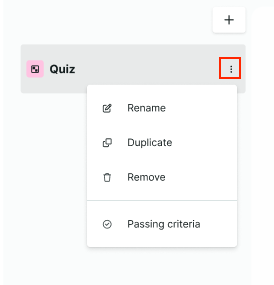
- In Admin mode > [any course] > [any quiz], when clicking the three dots, we've added a Passing criteria option.
- Selecting it opens a modal to set the minimum score required to pass (0–100%).
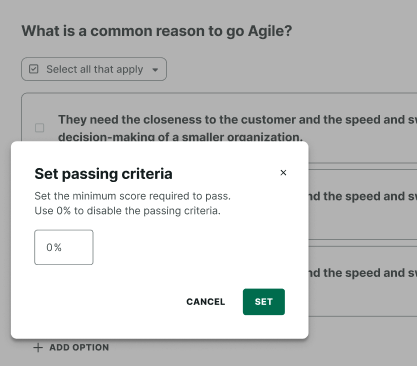
- Setting or keeping a value of 0% disables the passing requirement altogether.
2. Taking quizzes with minimum passing score as a learner
This aims to make quiz outcomes clear and actionable for learners, supporting consistent feedback and guiding retakes when needed.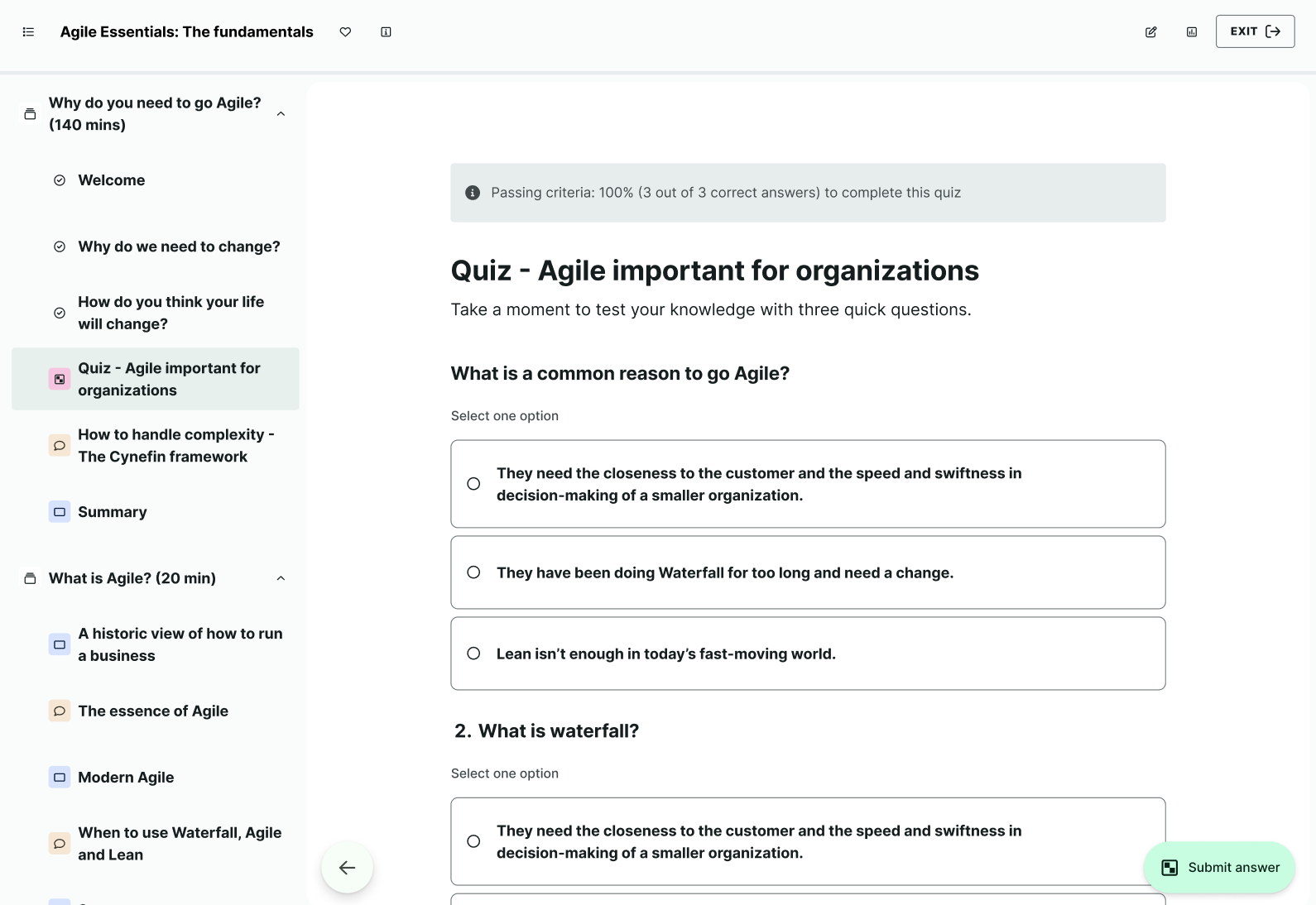
How it works
Learners now see an info banner at the top of the quiz page showing the passing criteria and the number of correct answers required (e.g., “Passing criteria: 100% (3 out of 3 correct answers) to complete this quiz”). If no passing criteria are set, the banner shows “No passing criteria.”
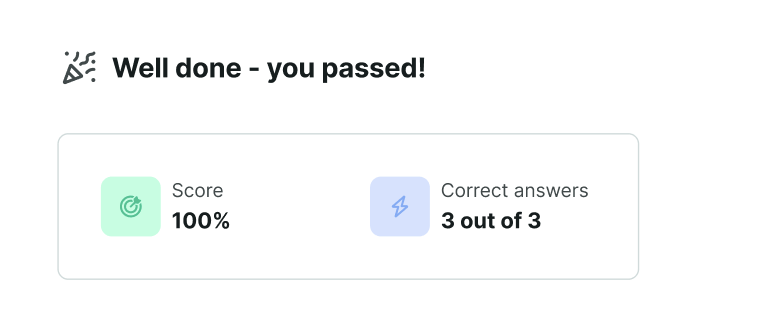
After submission, the results page now reflects pass or fail status based on the configured passing score. Learners see their score, number of correct answers, and pass/fail status.
- Passed quizzes show “Well done — you passed!”
- Failed quizzes show “Try again!”
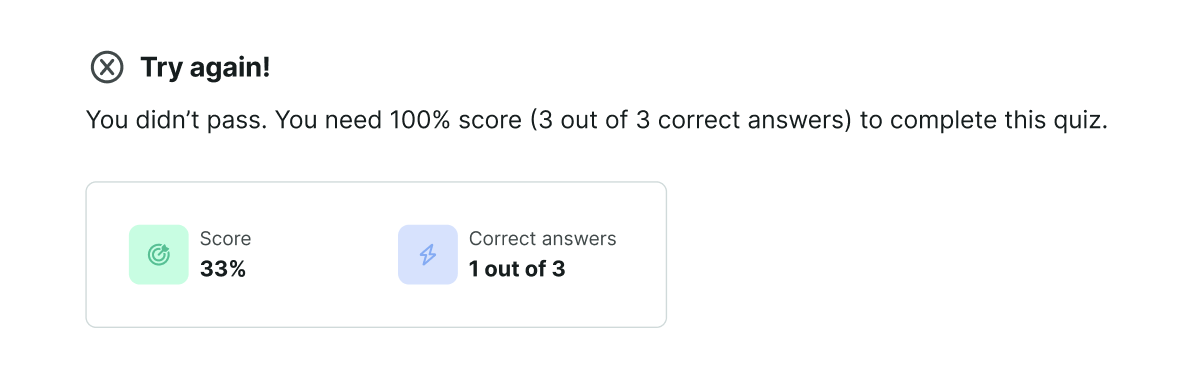
Passed attempts unlock the Next button to continue. Failed attempts show a Retake button, which opens a confirmation modal and resets the quiz upon confirmation. Learners can retake quizzes unlimited times until they pass.
3. Reviewing quiz scoring data as an admin or manager
This aims to give admins and managers a clearer, more structured understanding of learner performance in relation to passing criteria.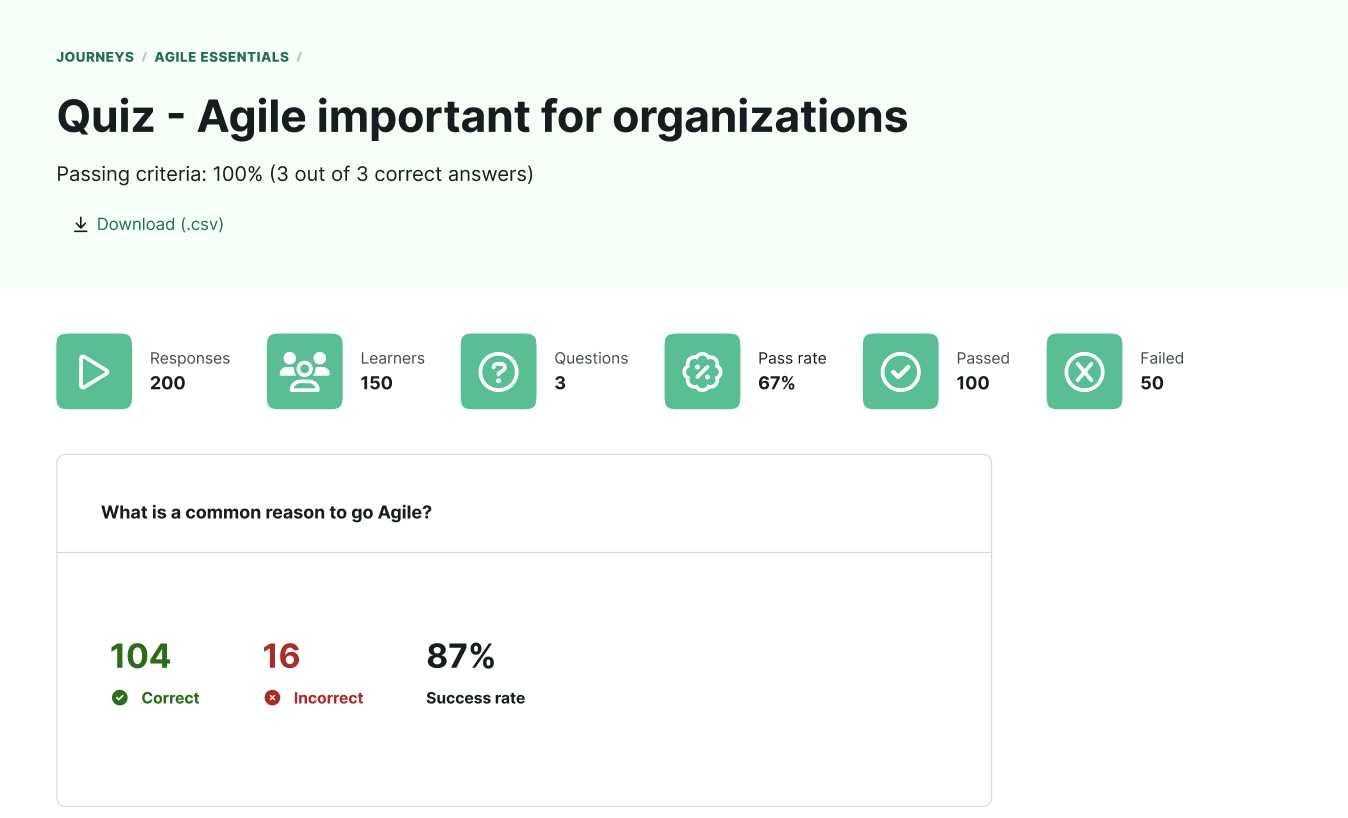
How it works
In the Insights page for each quiz, admins and managers now see three new key metrics in the header, Pass rate, Passed, and Failed. The “Average success rate” metric has been removed to avoid confusion. Each metric updates automatically as learners complete quizzes, giving an at-a-glance view of performance relative to the passing criteria.
Managers view the same layout and metrics as admins, but with the option to scope to their selected team.
For deeper analysis, both admins and managers can export per-attempt quiz data. CSV exports now include two new columns: passing_score and status (Passed or Failed), providing consistent, shareable performance data across teams.
4. Improvements
For copy consistency, the following copy improvements have been made:
- In the Discussion channels page within Journeys, the "Discussion" heading was changed to "Discussion channels".
- In Admin > Course > Edit > Cog wheel [icon], the "Teaser" heading was changed to "Description".
- In Learner > Learning journey > Show more, the “About this journey” heading was changed to “Journey description”.
- In Learner > Learning journey > Assessment, “Course description” was changed to “Description”.
- In Course insights, the tab previously called "Participants" is now called "Learners"; said tabs search field reflects this change, too.
- In an attempt to improve the user experience for admin users, learning items in the journey insights page are now displayed in the same order as in the journey outline builder.
5. Bug fixes
Since our September 12, 2025 release, we've also addressed:
- An issue that prevented learners from actually accessing live events as their "View" didn't redirect them as expected.
- A bug where the "Reset password" button in platform users' profile page didn't effectively send out reset password-emails
- A bug that prevented admins from opting out from using Journey's learning impact surveys.
- An issue where the "Continue learning" button in the "Up next" container in Journeys wasn't working as expected.
- A bug that prevented learners from viewing the full list of participants of a given journey when in a section.
- An issue that prevented block insertion behaviour when adding video via the "+"-button as opposed to the "/"-command.
- A bug that prevented Admin users from accessing the the Assessment editor directly from the View assessment page.
- An issue where characters overlapped when writing in the course rich text editor.
- An issue where webinar and seminar email notifications weren't being sent out.
- An issue where the live event modal became empty upon browser reloads.
Was this article helpful?
That’s Great!
Thank you for your feedback
Sorry! We couldn't be helpful
Thank you for your feedback
Feedback sent
We appreciate your effort and will try to fix the article