Release Date: January 8, 2026
This release focuses on improving feedback loops and on also includes various user experience topics. It introduces a new in-product way to share feedback, improves the learners' experience when taking quizzes, improves how learning journeys are duplicated to reduce manual work and confusion and the ability for admins to follow up on learner activity for learning items included sections.
TABLE OF CONTENTS
1. Summary
Give feedback form
We’ve introduced a new in-product feedback form available across Collegial learning journeys. This aims to make it easier for users to share product feedback in context and ensure it reaches the right teams for review and follow-up.
Deep duplication of learning journeys
We’ve improved how learning journeys are duplicated so that all included items are copied, not reused. The goal is to reduce operational risk and make it simpler to reuse journeys when running new cohorts or initiatives.
2. Give feedback form
As of this release, we're launching a Give feedback form. The purpose of this is to create a simple, reliable way for all of you to share feedback directly from the product with our Product team.
The Give feedback option appears within Collegial learning journeys that you have joined as a user, both on the journey overview and inside individual learning items (e.g., courses, live events, assessments). Note that the Give feedback button will appear in learning items that are part of a learning journey, regardless of how you navigate to said learning item.Clicking the Give feedback button it opens a modal where you can:
Describe your feedback
Attach an image or video file that helps illustrate or support the feedback you've chose to share
Indicate whether you're open to a follow-up video call
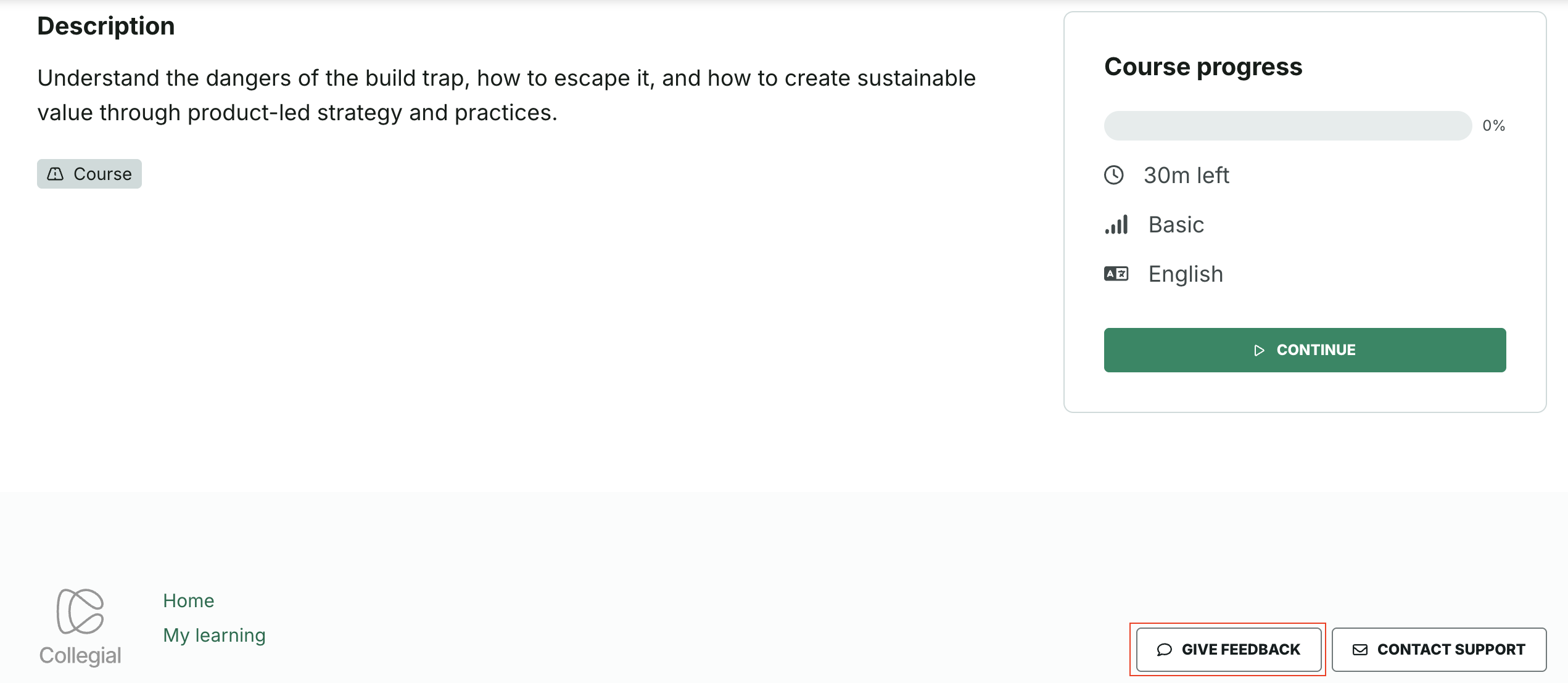
Please note that when it comes to the learning type Course, as the button appears in the page footer, the Give feedback button will only appear on Course start pages, as opposed to on the remaining course pages.
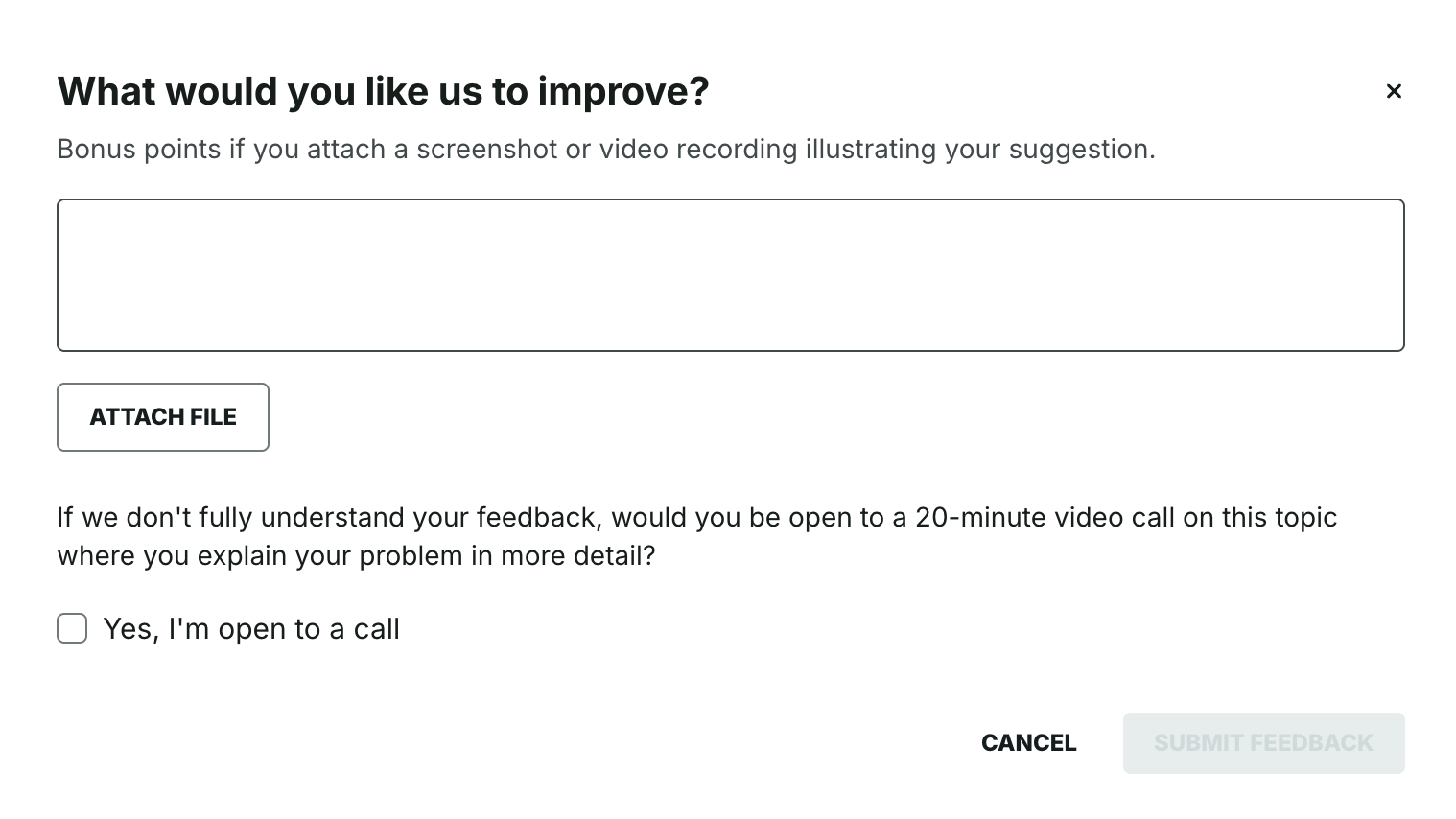
If the Product team needs clarification, one of our Product Managers may reply by email or suggest a video call if you've opted in for that once they've reviewed your feedback. Please note that feedback is reviewed on a first come, first serve basis.
3. Improvements
Since our November 17 release, we've also improved the following:
Improved guidance during course quizzes
As a result of consistent feedback from users, we've modified the "guiding" button that appears as learners take course quizzes:
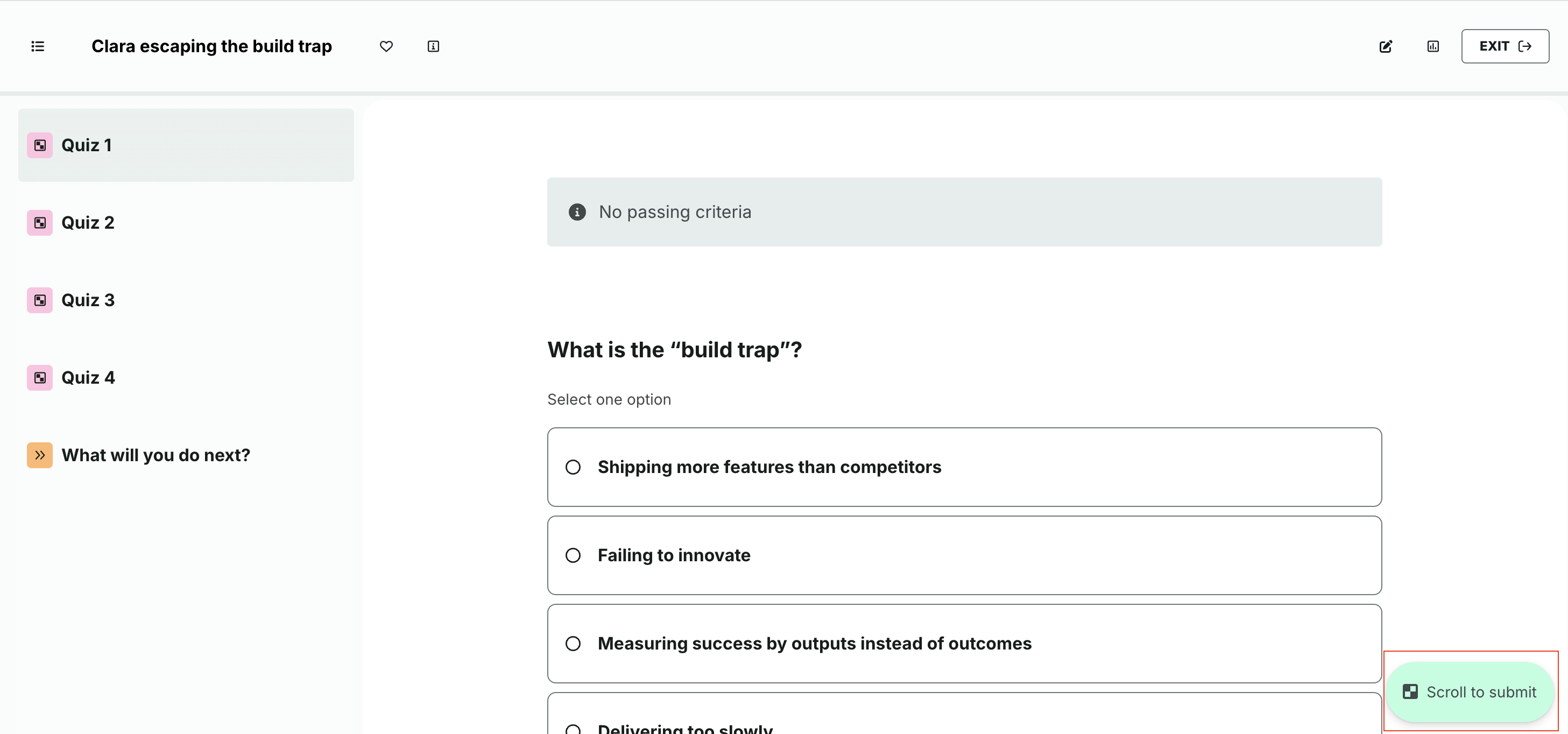
The button's copy has been renamed from "Submit" to "Scroll to submit", in order to better reflect its actual purpose. In cases where the learner failed the quiz, the copy now says "Scroll to retake" as opposed to "Retake".
Clicking the Scroll to submit / Scroll to retake button in question auto-scrolls the page down to the Submit (or Retake) button.
Learning journey duplication revamp
Duplicating a learning journey currently clones the shell, whereas the journey's underlying (learning) items (courses, assessments, live events) are reused. This causes confusion and operational risk. Therefore, we've revamped the business logic of learning journey duplication. The purpose is to provide better support for learning designers in reusing existing journeys without unintended links to original content, especially when they aim to prepare for a new cohort of an already run learning initiative.
As a result, learning journey duplication will now entail a “deep” copy of the entire journey structure, including its constituent parts (courses, assessments, live events, and other supported content types). Note that when it comes to live events, their structure and sessions are duplicated, but their participant list and recordings aren't.
When a user selects Duplicate on a journey:
A confirmation modal appears, as before
The system creates new copies of all included items
Newly created items are placed in the selected destination space
Copied items follow the existing naming pattern using “(copy)”

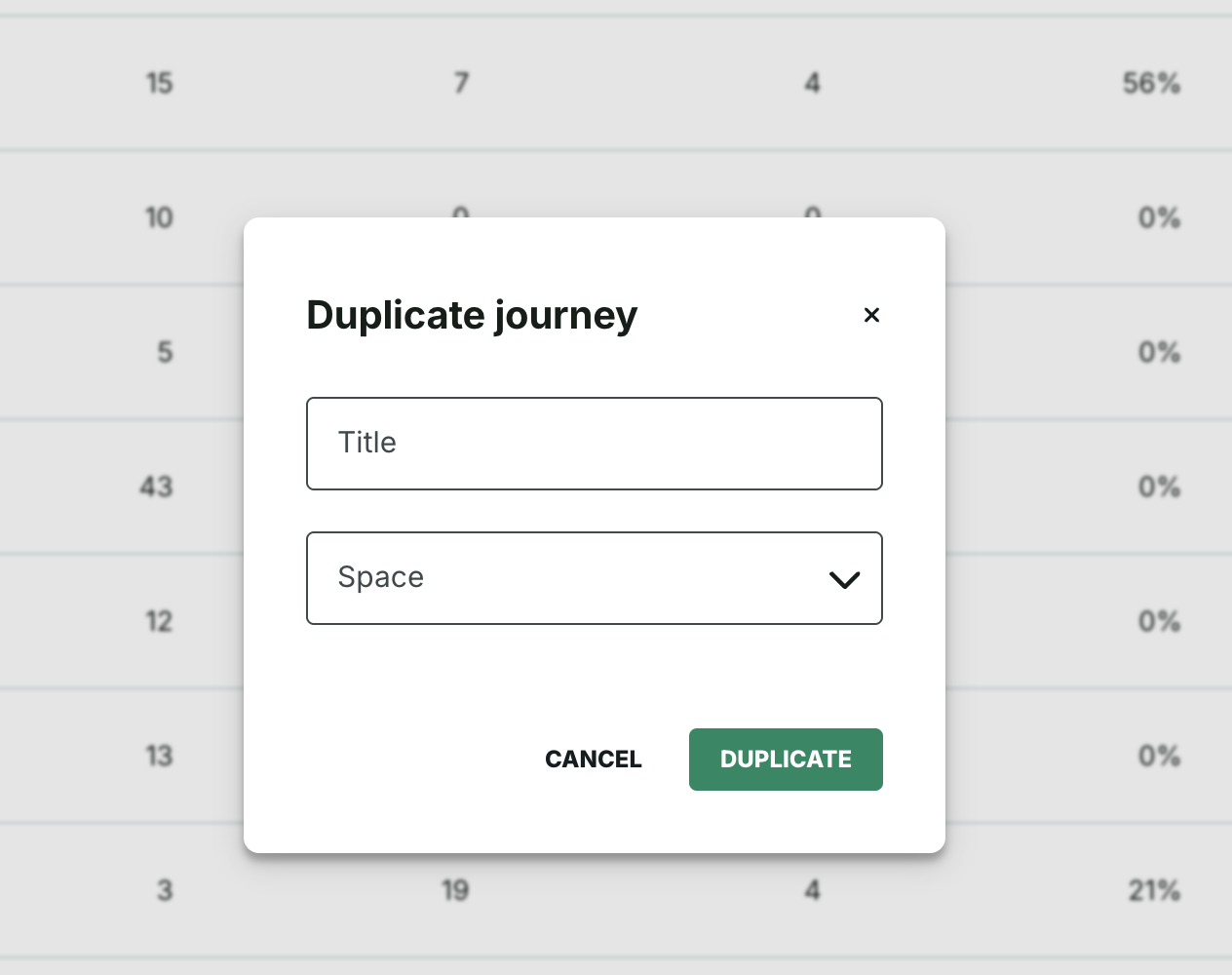
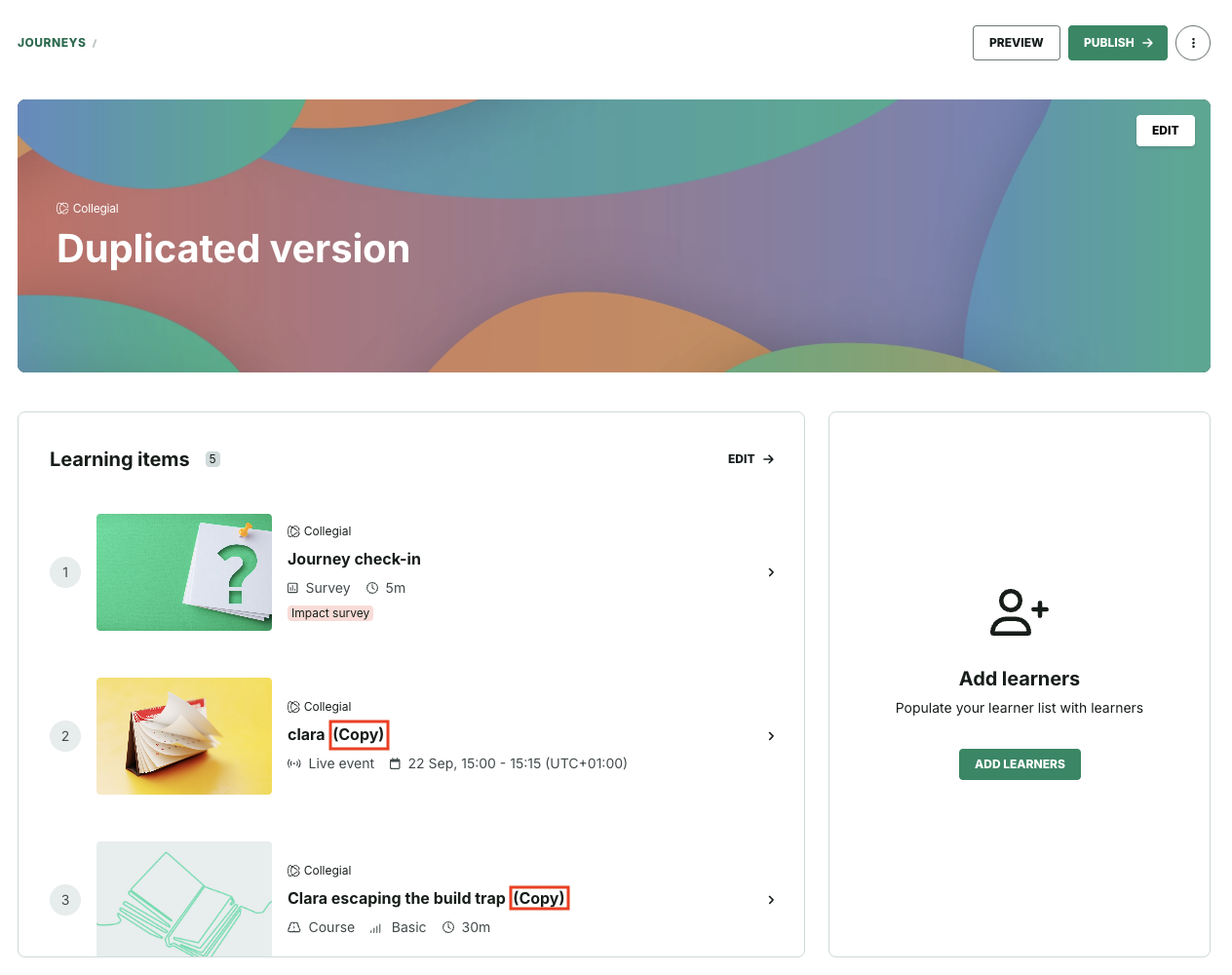
Note that if a journey includes partner or external content, the system attempts to duplicate it based on the destination space’s access. Should an item not be available for duplication by the system, an error message will indicate this, for improved transparency. Once duplication is complete, you're redirected to the new journey where a success or error message will display.
Section-level insights
When a journey includes sections, the section-level Insights page - [Admin view] > [Journey] > [Journey Items table] > [Section] - so far hasn't displayed data for the learning items (e.g., courses, live events, assessments) within it.
In order to improve visibility for admins who need to monitor progress and performance at a granular level, we've now enabled section-level insights.
As a result, the Section insights view now includes:
Items tab: lists all learning items in the section with their associated metrics (completion, participation, etc.).
Learners tab: displays learner-level data for those items, following the same behavior as existing journey-level Insights.
Drill-down: clicking an item opens its detailed Insights page, consistent with journey-level behavior.
What's more, the breadcrumbs reflect the parent journey and section when navigating into an item from a section. Also, we've made similar updates to the CSV export for consistency. Now, its items' tab displays: Learning item title; Learning type; Learner name; Email; Team; Started; Completion status; Completion date and Last activity.
4. Bug fixes
Since our November 17 release, we've also resolved:
- An issue where a discussion post didn't open when the user clicked the notification under the notification bell button in the navbar.
- A bug where Outlook web calendar bookings' description text and location link weren't properly formatted.
- A bug where Google Calendar live event bookings' description text was misformated and the URL wasn't functioning properly.
Was this article helpful?
That’s Great!
Thank you for your feedback
Sorry! We couldn't be helpful
Thank you for your feedback
Feedback sent
We appreciate your effort and will try to fix the article