Contextual Navigation Buttons in Courses
When learners take a course, the contextual navigation buttons aim to reduce friction by telling learners exactly what’s needed. The intention is for this to improve completion rates and page comprehension.
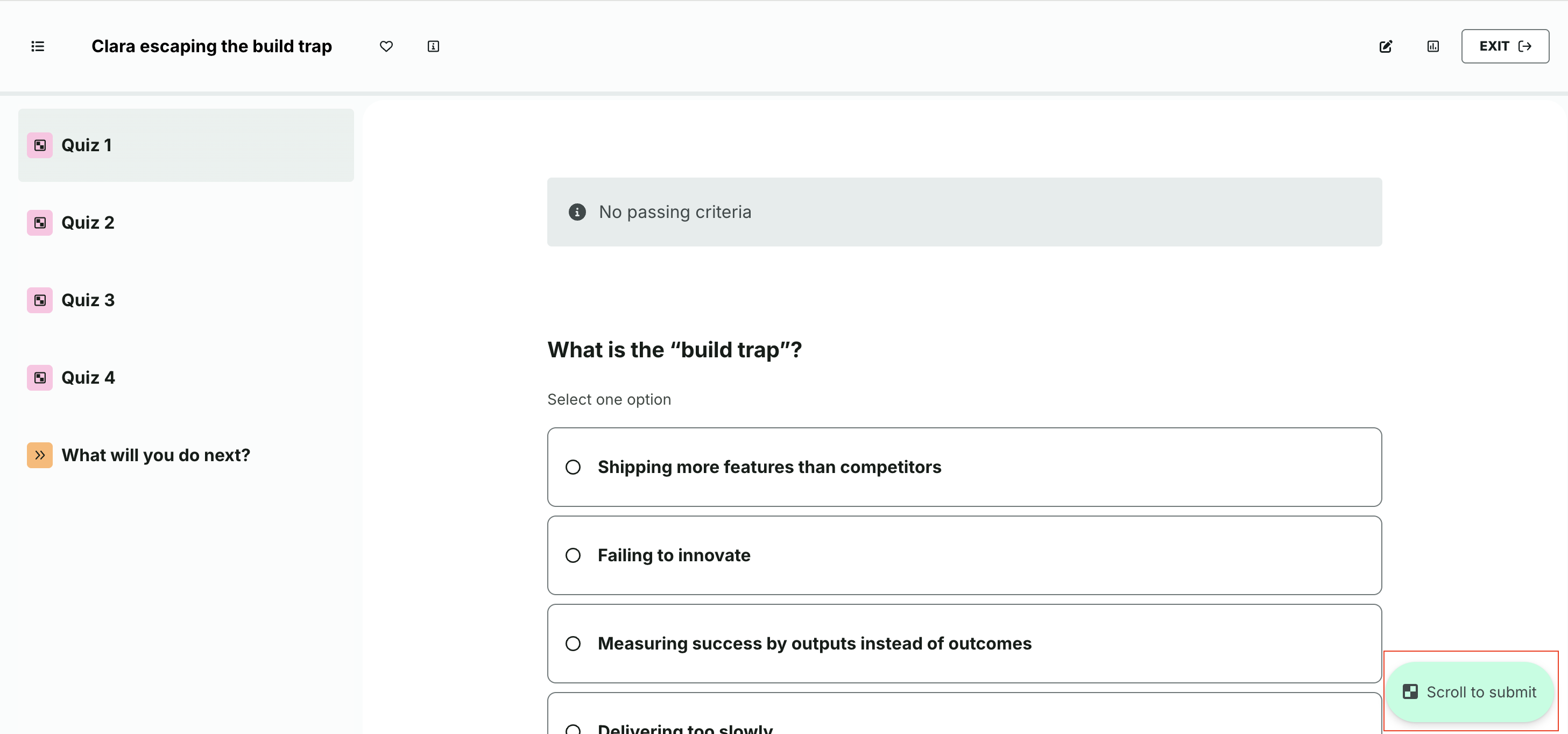
The floating, contextual buttons on course pages indicate the next action to complete the page: scroll to submit, submit answer, write reflection, or next. In the specific case where a learner has failed a quiz, the copy will say says scroll to retake.
The buttons remain visible as learners read.
The buttons remain task-specific — scroll, submit, write — until the page’s key requirement is completed, after which they convert into Next.
When clicked, the button to the right is supposed to “focus” the actual action button.
Was this article helpful?
That’s Great!
Thank you for your feedback
Sorry! We couldn't be helpful
Thank you for your feedback
Feedback sent
We appreciate your effort and will try to fix the article