Partner content is content imported from a 3rd party content provider. These include Pluralsight, Coursera, LinkedIn Learning and Learnifier. Note that Learnifier is a bit of a special case: while that platform doesn't provide proprietary content, it does provide Collegial users with the ability to create content on the Learnifier platform - which can then be imported into the Collegial platform.
Partner content is imported using the Import button of the Content tab.
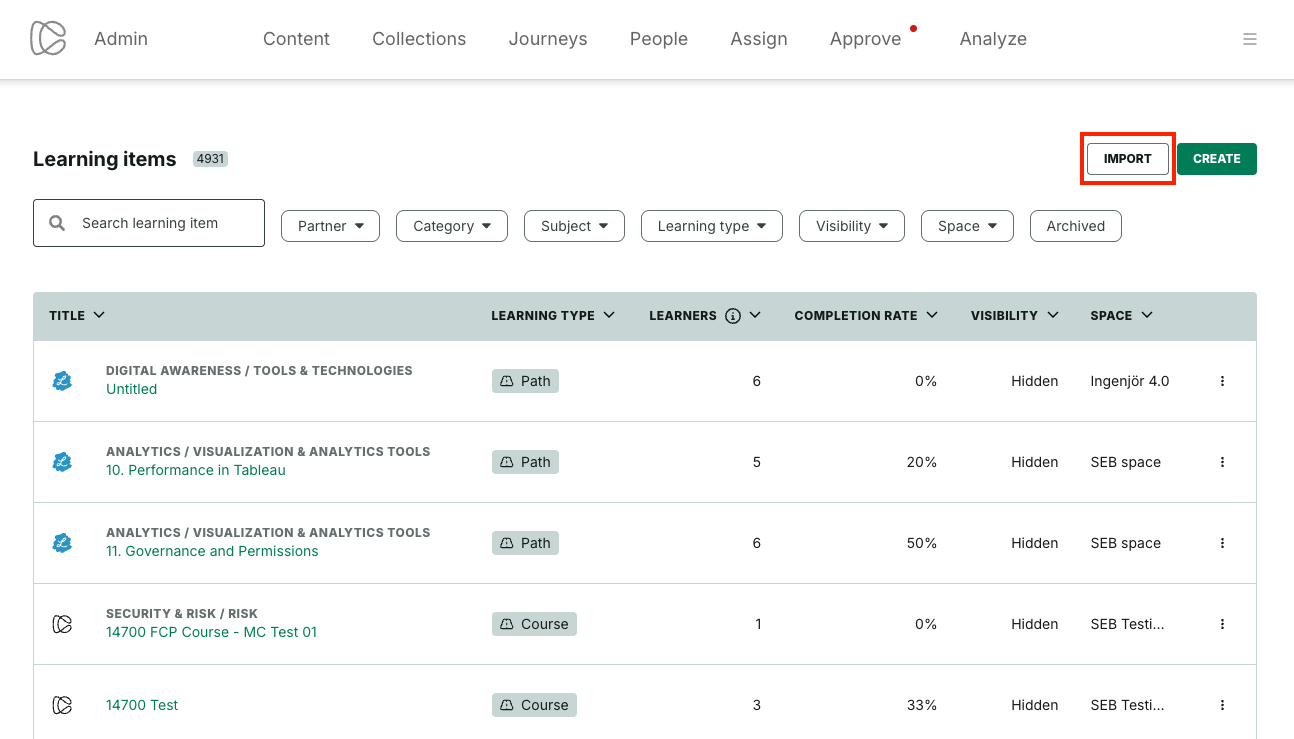
Editing of imported 3rd-party content items
To edit an imported item, locate it in the Content tab and click its ellipsis menu to access its edit view. The edit partner content view looks as follows:
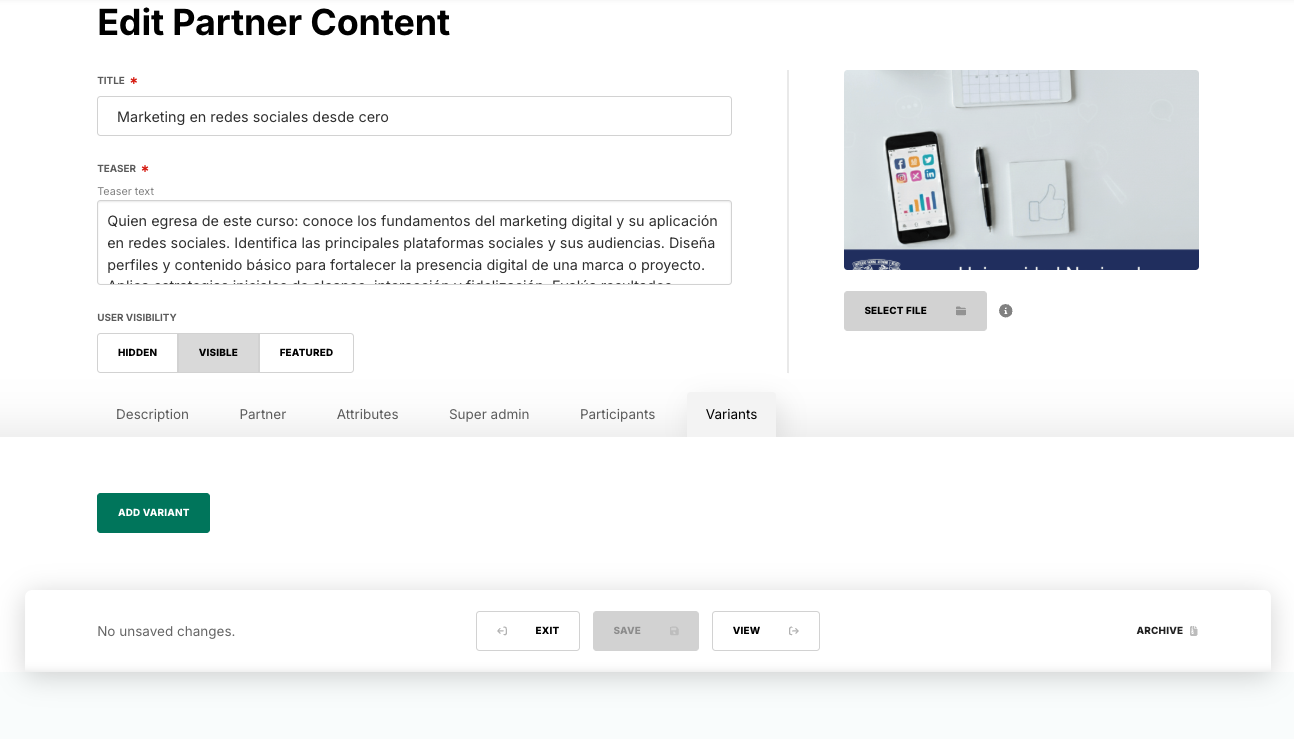
Note: Editing the Title value means that the title displayed to users changes, as does the value which learners search for in the top search bar of the learner landing page. However, due to technical limitations the following shortcomings apply:
- Any search performed from anywhere in the admin panel (such as in the Content view or in the Analytics view) will strictly look to the original, default value.
- The behaviour described in point #1 above also applies to any searches performed from the manager dashboard.
- The Learnifier platformhas two Title fields - one called "Project title" and another one called "Course title (Learner)". All of Collegial's search functionality - be it in the learner panel, the admin panel or the manager dashboard - makes use only of the latter Learnifier title.
Due to the above shortcomings, we strongly advise that admins do not change the Title value from its original, default value.
Was this article helpful?
That’s Great!
Thank you for your feedback
Sorry! We couldn't be helpful
Thank you for your feedback
Feedback sent
We appreciate your effort and will try to fix the article